



Group iMessages make it easy to stay in touch with your friends or colleagues, as long as you can keep track of who is in and who is out.
With iMessages, you choose who gets to be part of the conversation. Here is how you can add and remove people in group iMessages on your iPhone, iPad, or iPod touch.
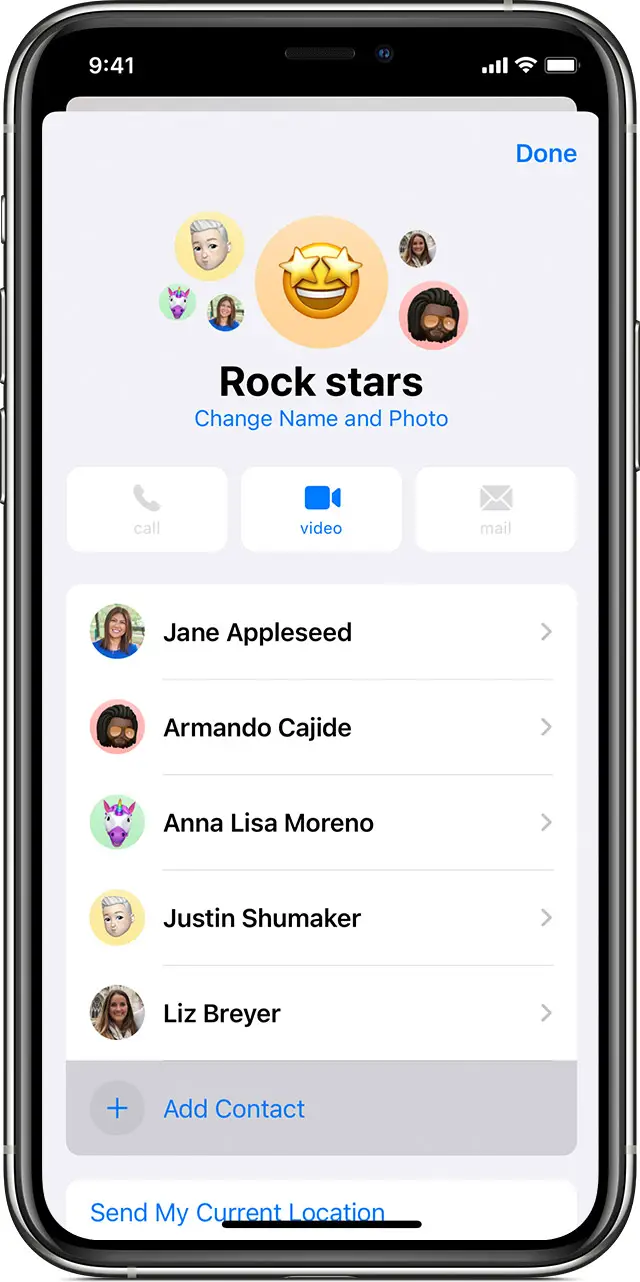
Add someone to a group text message
- Tap the group iMessage that you want to add someone to.
- Tap the top of the message thread.
- Tap the Info button


- Type the contact information for the person you want to add, then tap Done.

Remove someone from a group text message
- Tap the group iMessage that has the contact you want to remove.
- Tap the top of the message thread.
- Tap the Info button
- Tap Remove, then tap Done.
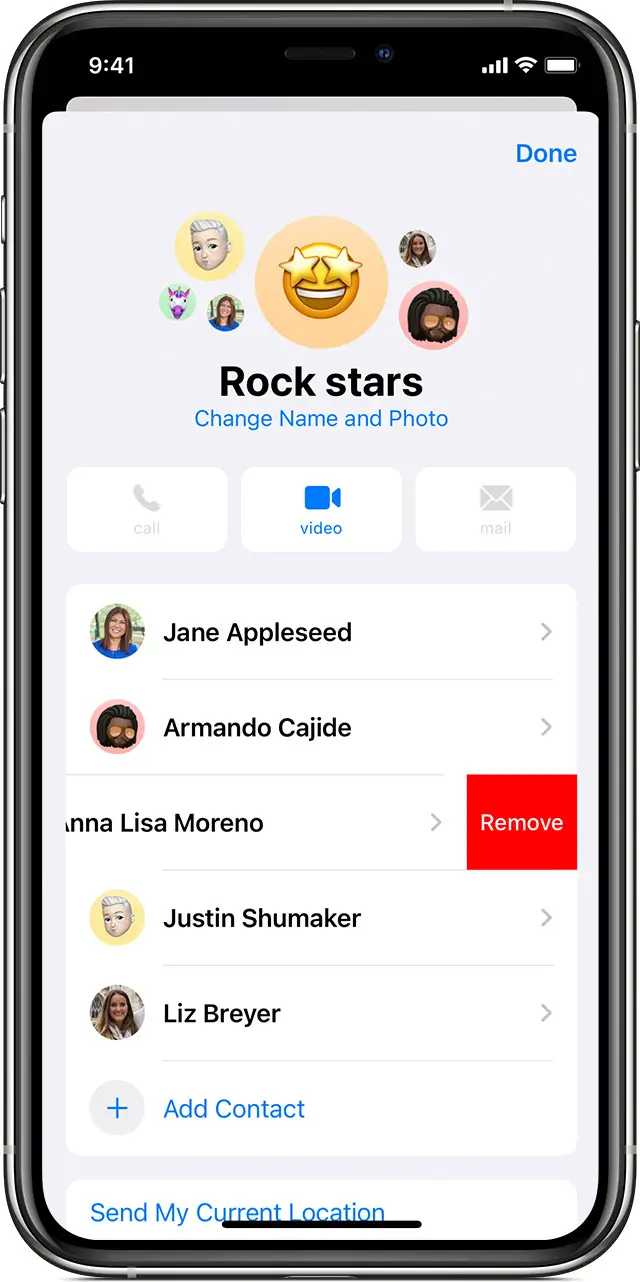
Note that you can only remove someone from a group iMessage if there are already three or more people in the group.
Anyone in a group iMessage can add or remove someone from the conversation.