


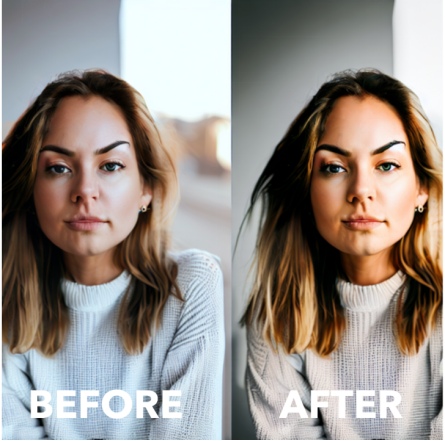
Photo editing is the process of modifying images using various software utilities to improve their overall appearance. It allows you to make adjustments to the color, brightness, contrast, and other aspects of a photo. It also helps you fix common issues such as poor lighting, red eyes, or blemishes.
Choosing the Right Photo Editing Software
There are numerous photo editing software options available, such as Canva, Adobe Photoshop Elements, and GIMP that offer a wide range of beginner-friendly features and tutorials to help you get started.
Photo Editing Techniques
A. Basic Techniques
- Cropping:


This is the process of removing unwanted elements from the composition of your photo.
- Adjusting Brightness and Contrast:


Refers to the process of enhancing the overall lighting of your photo by increasing/decreasing its brightness and contrast levels.
- Color Correction:


This process fixes color issues and makes your photo more visually appealing by adjusting the saturation, hue, and temperature.
- Removing Blemishes:


If available, you can use the spot healing tool to remove any imperfections or blemishes from your photos.
B. Advanced Techniques
- Retouching:
This process removes wrinkles, scars, or any other imperfections on portraits using advanced retouching techniques.
- Adding Filters and Effects:


Applies creative filters or effects to give your photos a unique look.
- Removing Backgrounds:
Using the background eraser tool removes the background from an image and replaces it with a transparent background, solid-colour background, or another image as background.
- Adding Text and Graphics:


This overlays your photos with text, logos, or other graphics to create personalized designs.
Transform Dull Images into Stunning Masterpieces


Photo editing is an important step that allows anyone to transform their photos into stunning works of art. By following this beginner’s guide, you can easily enhance your images and unleash your creativity.