




X(Twitter),bans tweets that have a warning labeled “potentially sensitive content.”This alert can be turned off, even on an iPad or iPhone. Without keeping your account private, you can also turn off the alerts about sensitive content on your tweets.
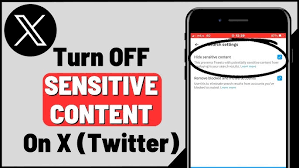
Imagine being excited to see what’s trending to be greeted with warnings that “This Tweet may contain sensitive content.” I understand how annoying that may be, so you’re not by yourself.
“Sensitive Content”: What Is It?
X claims that the warning label is for content that may be sensitive, such violence or nudity. Almost everything else is allowed under X’s sensitive media policy, except extremely graphic media, media that depicts sexual violence, and unlawful content.
X automatically blocks these types of media by default, displaying a warning such as “This media contains potentially sensitive material,” “This profile may include potentially sensitive content,” or “The following media includes potentially sensitive content.”
How to Ignore the Warning About “Sensitive Content”
Through X’s privacy settings, you can turn off the alert for sensitive information. These choices are not there in the X app for iPhone, but they are in the same location on the Android app. On the other hand, the X iPhone and iPad applications will display sensitive content without alerting you if you modify the option online.
- Visit the official X website and click the “More” button (marked by three dots in a circle) on the left side of the screen to turn off the warning.
- Next, choose “Settings and Privacy” from the menu that appears.
- From the menu on the left, select “Privacy and Safety,” and then click “Content You See.”
- To turn off the tweet warning, check the box next to “Display media that may contain sensitive content”.
How Searches Can Display “Sensitive Content”
Sensitive tweets are typically hidden from searches, but you have the option to make them visible. Similar to before, you can do this with the X app on an Android device; but, the setting isn’t accessible on an iPhone or iPad.
Go to the official X website and select More > to accomplish this. Content You See > Privacy and Safety > Settings & Privacy > Search Settings. In this case, uncheck “Hide Sensitive Content”.
How to Remove the Warning From Your Own Tweets
Select More > Settings and Privacy > Privacy and Safety > Your Posts to prevent X from labeling any media you submit as sensitive. Make sure that the option to “Mark media you post as having material that may be sensitive” is not selected.
The X app for iPhone and iPad does not have this option, but it is available on the web and in the Android app.