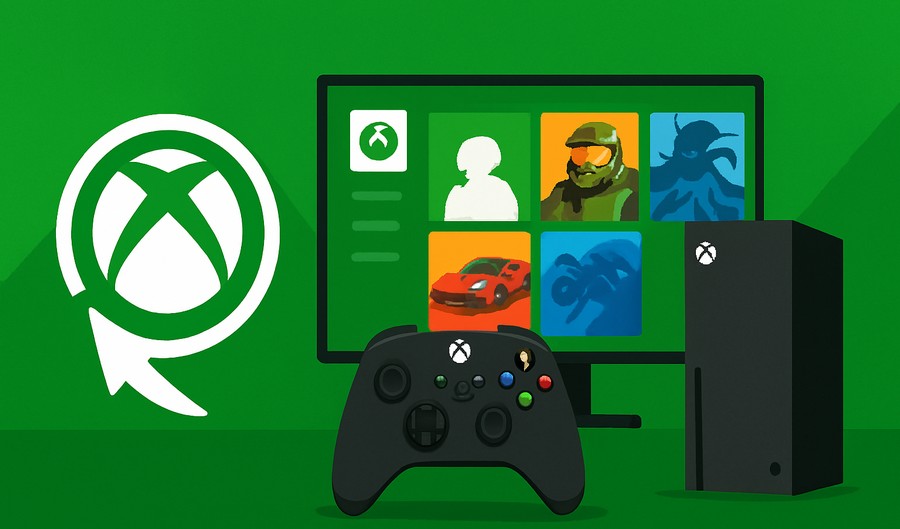
You are starting out with a new Xbox? Chances are you already feel all the fun you are about to have… But you also feel a little bit overwhelmed given there are so many titles and different ways to play?
A popular method to play games on this console is via Xbox Game Pass. However, many beginners do not understand how the gaming subscription works in the first place.
In this guide, we will walk you through what is Xbox Game Pass & how it works. Next, we will show you how to download and play games on the Xbox Game Pass like a pro!
Xbox Game Pass Subscription Explained
Game Pass is a monthly subscription service that offers access to a big gaming library + useful features. So instead of buying titles one by one, you just pay a fixed monthly fee and get access to the entire library. As long as your subscription remains active, you can play all the games you have downloaded via the subscription.
Microsoft offers the following types of Game Pass subscriptions:
- Console (you can play games on Xbox console).
- PC (use the Xbox app to play games on Windows).
- Ultimate (Console + PC).
The Ultimate tier offers all the things you get in the other tiers. On top of that, it also includes cloud gaming and Xbox Live multiplayer.
To get started, you need to subscribe to one of these tiers of the game pass subscription. Right now, U7BUY is the best choice to get Xbox accounts with game pass already activated.
The best part is that the library includes games from all genres. This includes sports, RPG, action, open world, and so on. Microsoft also adds new game titles regularly, and even the older titles are rotated over time.

How to Download Games on Xbox Game Pass
Are you new and not sure how to get started with Game Pass? Then just follow these simple steps to enjoy games:
1) Open the Library
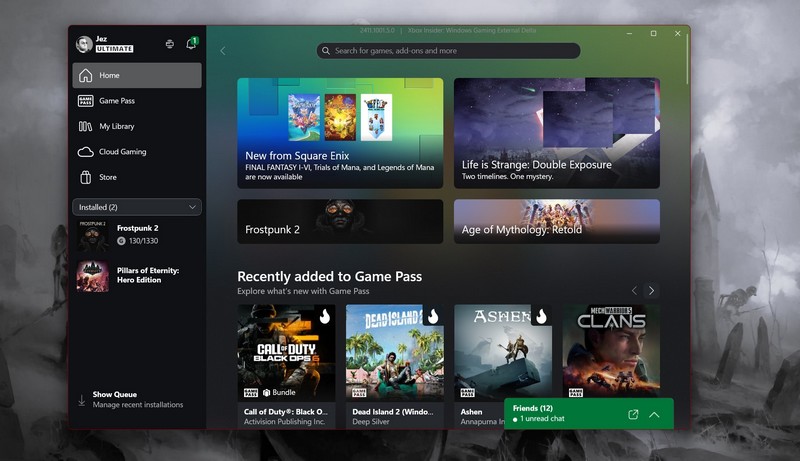 Power up the Xbox game console and then launch the game pass app from the home screen. You can browse the featured games or explore by genre. And if you already have some game ideas, try the search.
2) Choose a Game
Now, here’s the important part — Select the game you want to play from the app. Each game’s page will show the size, description, and user ratings.
As you don’t have to pay for each title, as everything is part of the membership, do not overthink this step and pick any game you like. When ready, click on “Install” to download the game on your console.
3) Monitor the Download
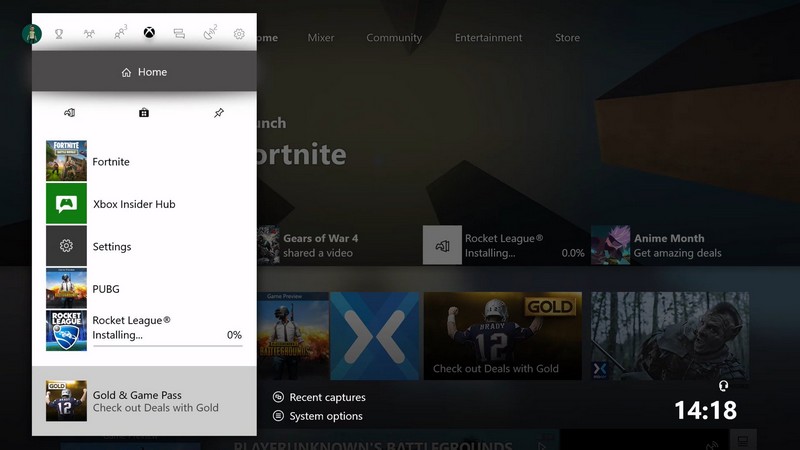 You can now check how much % is downloaded via the My Games & Apps. How long you have to wait depends on the game’s size and internet speed.
4) Launch and Play
As soon as the download is complete, the play button will show up in front of the game. Now, you can click on it to start the first game you have got from the Game Pass.
The saved progress will be automatically synced to the Xbox account which means you can resume anytime.
5) Cloud Gaming (optional)
If you have chosen the Game Pass Ultimate, then you also get cloud gaming. This feature lets you play games on a tablet/phone or even a low-end PC via the internet!
The only requirement is that you need a minimum internet speed of 20 Mbps or higher to try this feature from the game pass. The best part about this option is that you don’t have to download anything!
Best Categories on Xbox Game Pass
Not sure what type of game will interest you? Here’s a quick list of categories to pick the best game:
Action & Adventure
Are you someone who enjoys fast paced gameplay, exploration and good storylines? Then you should try games from this category as they are a fun way to experience the console graphics and controls.
Story Driven Games
These games are for those who like single player experiences and immersive stories. In such games, you get to explore rich worlds and deep storylines without the multiplayer skills.
Multiplayer
For some folks, the real fun lies in the multiplayer and the co-op based games. So, if you like to play against a human instead of computer, then you should try some multiplayer games from the Game Pass library.
Casual Games
This category is ideal for new gamers or for those seeking a light experience. Such games are designed to be enjoyed by all ages and are very easy to pick up.
Tips for Choosing Games
Here’s a quick list of tips to choose the games from the library:
- You can always browse the games library by genre or categories.
- Since you are not paying for each game you try, you can also try games outside of your usual preference.
- Keep an eye on the “popular with game pass members” lists to find trending titles.