




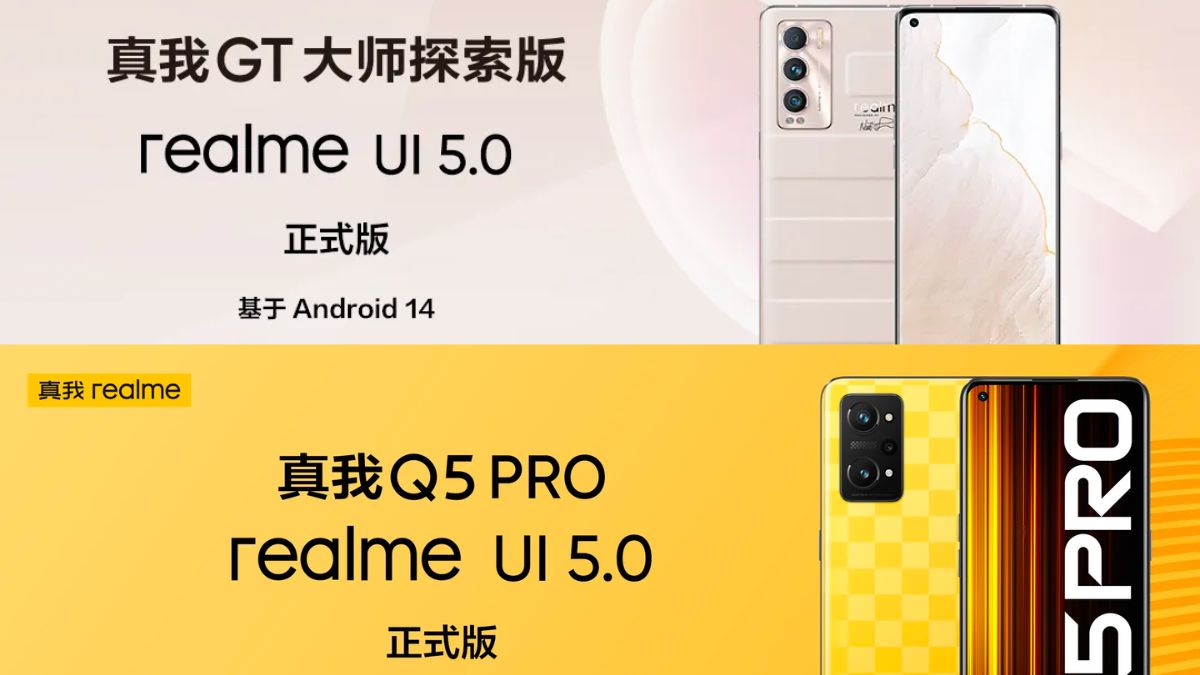
Great news for Realme users, the company has announced a Realme UI 5.0 which is based on the latest Android 14 update for Realme Q5 Pro and Realme GT Master Exploration Edition. UI 5.0 is a major update that brings tons of new features and promises improved system fluency with dynamic effects splashed all over the interface. Below is the full changelog.
Ubiquitous Service
- Newly added Fluid Cloud interaction form, which provides real-time reminders in different forms based on the current service status and content, allowing you to learn important information at a glance
- Added realme UI ubiquitous service smart car space, the new Car+ can directly cast the screen to the car system for use, providing smart cross-end services in driving scenarios
[Smart and efficient]
- Added a new transfer station to enable drag-and-drop transfer of content across multiple devices and applications
- Upgrade My Device to Device Space, manage interconnected devices in a unified manner, and control multiple devices more conveniently
- Optimize the cross-end synchronization experience of portable workbench to improve office efficiency
- Optimize text recognition and add support for recognition of handwritten text in some languages.
- Optimize mobile phone relocation, quickly verify new phones, and quickly migrate device data
Security and Privacy
- Added privacy watermark, add protective watermark to ID photos with one click, making image sharing safer
- Optimize photo and video permission management, making application access more secure
Performance Optimization
- Improve system stability, improve application startup speed, and optimize animation smoothness
Aquatic Design
- Upgraded aquatic color system, adopting a natural, soft and clearer interface style, bringing a more comfortable color experience
- Added aquatic theme system ringtones, optimized system UI prompt sound effects, and improved sound quality
- Optimize system dynamics to bring delicate and silky dynamic design
Humanistic care
- Updated system customized input method to support display and input of rare characters
System Optimization
- Added multi-application volume adjustment function
- Added screen color temperature ball function to freely adjust the cool and warm colors of the screen
- Added WeChat/QQ voice call recording function
- Added PhoneLink function
- Added real-time voice transcription function
- Optimize static wallpapers
- Optimize system fonts and improve visual experience
- Optimize system charging animation
- Optimize camera fluency
- Optimize audio playback fluency
- Offline smart sidebar drama listening mode function
- Optimize the call-out position of the game assistant
- Fix the low probability of no service appearing in the upper left corner of the lock screen page
- Fixed a rare issue where the UI interface still displays “Charging” when the charger is unplugged.
- Fix the low probability of editing watermarked original images and unable to remove photo watermarks
- Fixed conflicts between smart sidebar and page buttons
- Fixed the problem of abnormal error reporting in low-probability topics
- Fixed the low-probability speech-to-text issue that always displays “Recognizing”
- Fix low-probability wallet exception errors
- Fixed the problem of incomplete display of Chinese and English switching in speech recognition
- Fixed the problem of extracting the content when clicking on a screenshot of multiple image pages, and there is no preview when clicking on the image.
- Fixed the problem that the search box in the drawer desktop jumps to the global search
- Fixed low-probability night scene mode ultra-wide-angle imaging being greenish
- Fixed the low probability that Douyin cannot slide and the sound continues to be output when returning to the desktop
- Repaired the fingerprint verification interface of Wo Wallet and the floating window disappeared abnormally in full screen when opening it.
Target version (realme UI 5.0 – Realme Q5 Pro):
RMX3372_14.0.0.140
Target version (Realme UI 5.0 – Realme GT Master Exploration Edition):
RMX3366_14.0.0.150