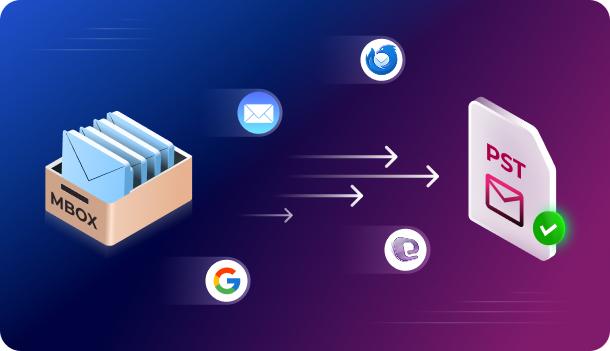
Online MBOX to PST converter services offer a convenient way to quickly convert MBOX files to
PST format. They support mailbox archives created or exported from email clients like Mozilla
Thunderbird, Eudora, Apple Mail, etc., to Outlook PST format without downloading and
installing a dedicated application. Despite the ease of use that they offer, many users are
concerned about their privacy and mailbox data. This is because mailboxes store all kinds of
emails, from simple correspondence to financial and shopping emails. Hence, users ask whether
it is safe to convert MBOX to PST online. Let’s read further to find the answer.
Is it Safe to Use Online MBOX to PST Converter Services?
Generally, online MBOX to PST converters from reputed brands are safe to use. This is because
they maintain privacy policies that safeguard users and their data and use the latest security
certificates to encrypt user data and build trust with visitors. Here are some points that make
an online MBOX to PST converter safe to use.
- Comply with Policies to Maintain Data Privacy
This is the most important concern for users looking for a way to convert MBOX to PST online,
as the mailboxes contain confidential data along with correspondence messages. Therefore,
many online MBOX to PST file converters have strict policies in place to ensure that the data or
files are safely uploaded, processed, and removed from the servers. Moreover, they also have
information about file retention and deletion. They safely delete both uploaded and converted
files from their servers after a certain period of time (like 12 hours, 24 hours, etc.). - Uses HTTPS to Make the Website Secure
While using an online MBOX to PST converter, it becomes important to use a website using
HTTPS instead of HTTP. The ‘S’ signifies that the website uses the latest security certificates to
establish a secure connection between you and the server. This encrypts the data shared
between the user and the online service. Unsecured websites without the HTTPS protocol or
with outdated security certificates should be avoided. The security of a website can be checked
by clicking on the padlock icon on the left side of the URL. You will get information about the
security of the connection and the website. You can also use free SSL checkers online to verify
the certificates. - Service Reputation
Users leave reviews and testimonials for online MBOX to PST converters on trusted platforms
like Trustpilot, Google Reviews, or Reddit. Some even create YouTube videos to share their
experience. Existing reviews help build trust with new users and thus establish the online MBOX
to PST converter as safe to use.
Benefits of using a Free MBOX to PST Converter Online
Here are some benefits of using a free utility to convert MBOX to PST online:
- Ease of Use
Online MBOX to PST converter utilities are preferred because of their simple and intuitive UI,
which makes them beginner-friendly. So, you don’t need to have advanced technical skills to
use them. The straightforward mailbox conversion process also makes them suitable for
converting files quickly. This is why users prefer to convert MBOX to PST online. - No Need to Install a Dedicated Application
Another advantage of using an online MBOX to PST converter is that you don’t need to
download or install a specific application to change the format of your files. Desktop
applications take up space on your local storage and use RAM to run smoothly. An online MBOX
to PST converter works in a web browser. This eliminates the need to download or install a
specialized software on your PC for converting mailbox files. - Can be Used on any Device
When you install a desktop-based MBOX to PST converter, you are limited to just one device.
Web-based utilities are not limited by the type of device you are using. You can use them in a
web browser and convert MBOX to PST for free on any Windows PC, a Mac, or even on a Linux
system. All you need is your MBOX file/s and a computer connected to the internet. This
flexibility makes them an ideal choice for remote workers or users looking for a way to convert
files on the go. - Automatic Updates for Data Security
Unlike the traditional desktop-based converters that require user intervention to check and
install any updates, online converters are updated automatically. This ensures that users have
the latest features and security improvements to safeguard their data and privacy.
How to Choose a Safe Online MBOX to PST Converter?
Now that you know what factors the safety of a free online MBOX to PST converter service
depends on, consider using the checklist below.
● Website should have the latest security certificates installed. You can check this by
clicking on the padlock icon at the beginning of the URL. You can also use third-party SSL
checkers to verify this info.
● It should have its data retention, deletion, and privacy policy listed clearly on the
website.
● It should not request personal or confidential information.
● It is from a reputable and well-established brand.
● It should have positive and independent reviews on trusted platforms like Google,
Trustpilot, Reddit, etc.
● It should not display any unnecessary pop-ups, adverts, or click-bait links.
Is there a Safe Online MBOX to PST Converter?
Yes, there are several online MBOX to PST converters that are safe to use. One of them is the Online
MBOX to PST converter by Stellar. This free MBOX to PST converter online lets you convert an
MBOX file to the Outlook-importable PST file format safely online. It has clearly defined data
retention and deletion policies, by virtue of which both the uploaded and converted files are
deleted automatically from the servers after 24 hours.
This web-based service quickly converts the uploaded MBOX file to PST format without needing
to download or install any additional software. It accurately converts the uploaded MBOX file to
PST format in such a way that the resultant file (PST) retains the same folder structure as the
source MBOX file. It supports .mbox files of many popular email clients, including Gmail, Apple
Mail, and Mozilla Thunderbird. And not just Windows; you can even use it on a Mac or a Linux
PC to convert your MBOX files on the go. No additional software installation required.
Salient Features of this Free MBOX to PST Converter Online
● Converts a single MBOX file of ≤100MB to PST for free
● Simple mailbox conversion process: Upload > Convert > Download
● Doesn’t require Outlook to be installed
● Ensures data privacy by automatically deleting converted mailbox files from the server
after 24 hours of conversion
● Retains the original mailbox folder structure and properties after the conversion
● Can be used on any Windows, Mac, and Linux system
How to Safely Use Stellar Online MBOX to PST Converter?
Let’s now see the steps to use the free MBOX to PST converter by Stellar.
● Launch any web browser on your computer/Mac/Linux device and go to the free online MBOX to PST converter Service page.
● Click on Sign Up to Create an Account.
● After that, click on Upload MBOX File.
● Find and select the MBOX file you want to convert. Click on Open.
● Once the file is uploaded, click on Start Conversion.
● Wait for it to convert the uploaded MBOX file.
● After it is complete, you will see the File Converted Successfully window.
● Click on the Save PST File button. This will download the PST file to your system.
After this is done, you can open or import the resultant PST file into Outlook using the
Import/Export wizard.
Conclusion
To answer the user query mentioned at the beginning, yes, Online MBOX to PST converters are
generally safe to use. You can choose a service like the free MBOX to PST converter online by
Stellar, which is from a well-known brand or website, with a transparent data privacy & file
retention policy, and HTTPS protocol with the latest certificates installed. It should also be free
from unrelated or clickbait ads that redirect you to other websites.