Screen sharing is an essential part of a Zoom conference call. It’s important in many situations to be able to show exactly what you’re talking about. If you’re organizing a meeting, you’ll need to let the participants share their Zoom screens.
How to do that and how to allow multiple people to share screens at once:
Login to your Zoom account by visiting the official Zoom website.
Access ‘Settings’ via ‘My Account’ and scroll down to the ‘Screen Sharing’ section.
Set ‘Who can share?’ to ‘All participants’ and save them.

All meeting participants would now have the opportunity to share their screens.
Allow multiple people to share their zoom screens at once
You’ll need to be in charge of a video meeting in progress, and you’ll need to use a Windows, Mac, or Linux client.
Pick the small arrow next to the green “Share Screen” button.
From pop-up menu, select “Multiple Participants can share at the same time.”
It’s just as easy as that.
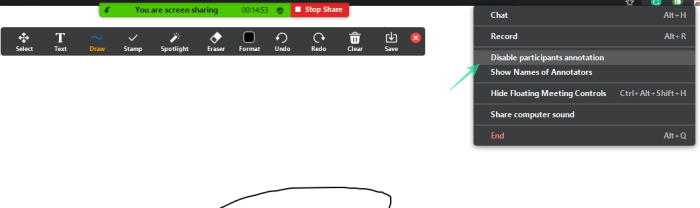
How do I see annotators while using Whiteboard?
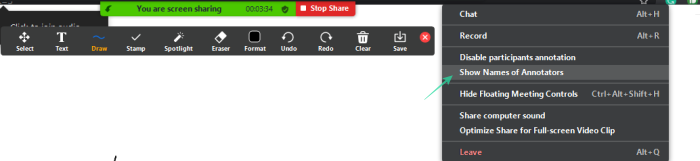
To see your Whiteboard/Screen share user annotation:
First kick-start a screen sharing session by selecting a whiteboard
Click on the ‘More’ button to reveal the share screen
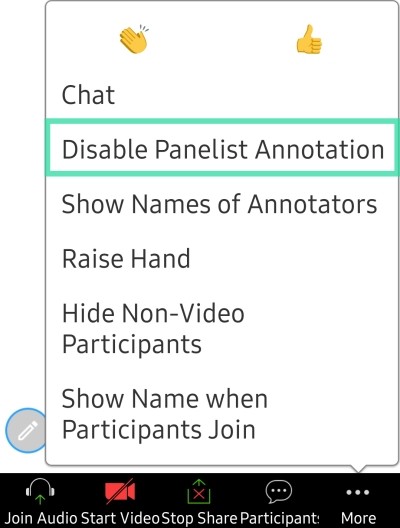
How do I disable annotations for hosts/panelists?
The host/co-host of the Zoom meeting generally has complete control over every aspect of the meeting. However, when it comes to screen sharing, there are also a few understated benefits for the participants.
All you need to do is tap ‘More’ when a screen sharing session is underway and hit ‘Disable Panelist Annotation.’
Hosts, too, can disable participant annotation by clicking on the ‘Disable Participants Annotation’ button.